This step-by-step guide on Ayushman card download is for families covered under Ayushman Bharat PM-JAY, senior citizens aged 70 and above, and anyone helping a parent or relative get their card. You will learn how to download the card free from the official portal and app, and what to do if it does not download.
Quick answer: Visit beneficiary.nha.gov.in or open the official Ayushman App, log in as a beneficiary with your mobile number and OTP, choose PM-JAY and your state, then search by Aadhaar or family ID. If your eKYC is complete and the card is approved, tap Download to save the PDF. It is free.
What Is the Ayushman Card?
The Ayushman card (also called the PM-JAY card or Ayushman Bharat card) is the identity card for Ayushman Bharat Pradhan Mantri Jan Arogya Yojana (AB PM-JAY). It gives eligible families health cover of up to ₹5 lakh per family per year for hospitalisation at government and empanelled private hospitals, on a cashless basis.
Since late 2024, all citizens aged 70 years and above, regardless of income, can also get the Ayushman Vay Vandana card. If their family is already under PM-JAY, they get an extra top-up of up to ₹5 lakh a year just for themselves. You can read about other central schemes in our guide to government schemes in India.
Who Can Download an Ayushman Card?
You can download a card only if your name is in the PM-JAY beneficiary database. Broadly, this includes:
- Families listed in SECC 2011 data under the rural deprivation and urban occupation criteria.
- Families added by states through their own databases, such as ration card (NFSA) lists, where the state runs a combined scheme.
- Senior citizens aged 70+ under Ayushman Vay Vandana, based on age in Aadhaar, with no income limit.
- Some other groups added by the Centre from time to time; check pmjay.gov.in for the current list.
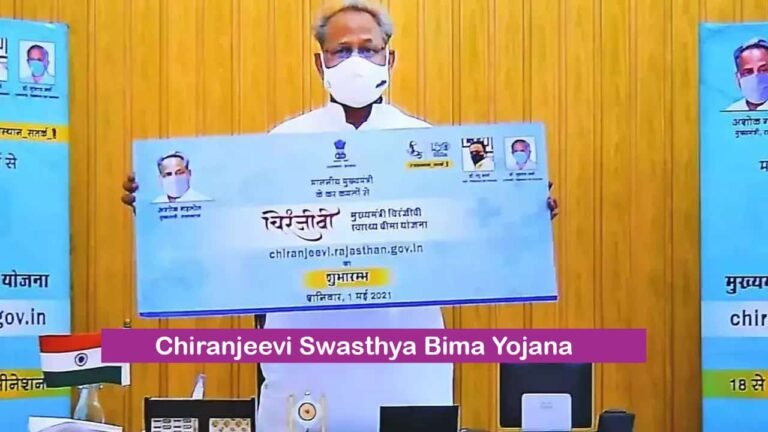
Many states run their own health schemes together with PM-JAY, and the card may carry the state scheme’s name too. Rajasthan’s scheme, for example, is explained in our post on Chiranjeevi Swasthya Bima Yojana.
Documents and Details You Need
- Aadhaar number of the beneficiary.
- Mobile number to receive OTP (yours or the beneficiary’s).
- Aadhaar-linked mobile for Aadhaar OTP during eKYC, or the option of face authentication in the app.
- Optional: ration card number, family ID or PM-JAY ID, which help in searching your family.
Ayushman Card Download from beneficiary.nha.gov.in (Step by Step)
The official portal of the National Health Authority (NHA) is beneficiary.nha.gov.in. It works on both mobile browsers and computers. Screen labels may change slightly over time, but the flow stays similar.
- Open beneficiary.nha.gov.in in your browser.
- Select Beneficiary as the login type.
- Enter your mobile number and the captcha, then tap Verify and enter the OTP you receive.
- Choose the scheme PM-JAY, then select your state (and district if asked).
- Pick a search option, such as Aadhaar number, family ID or PM-JAY ID, enter the details and tap Search.
- A list of family members appears with the card status of each person.
- If a member’s status is Approved (or card ready), tap the Download icon next to the name.
- Complete Aadhaar OTP verification if asked. The Ayushman card will download as a PDF on your phone or computer.
If a member shows “eKYC pending” or “not generated”, you first need to finish eKYC for that person (see the next section). The download button appears only after the card is approved.
How to Complete eKYC and Apply for a New Card
If your family is eligible but no card exists yet, you can request one from the same portal or app.
- Log in and search your family as shown above.
- Next to the member without a card, tap Do eKYC (or a similar option).
- Verify the person’s identity using Aadhaar OTP or face authentication.
- Capture or upload a live photo, and fill in any missing details such as mobile number and relationship.
- Submit the request. It is sent for approval by the authorities.
- Log in again after some days to check the status. Once it shows Approved, download the card.
Approval time is not fixed and can vary from state to state. Do not pay anyone who promises to “speed up” approval.
Ayushman Card Download Using the Ayushman App
The National Health Authority also offers the official Ayushman App on the Google Play Store (and on iOS). Check that the developer name is National Health Authority before you install.
- Install and open the Ayushman App, then choose Beneficiary login.
- Enter your mobile number, captcha and OTP.
- Select the scheme (PM-JAY), your state and a search option such as Aadhaar.
- Find the family member and tap Download if the card is approved, or eKYC if it is pending.
- The PDF card is saved to your phone’s downloads folder.
Ayushman Vay Vandana card for 70+ seniors
Seniors aged 70 and above can enrol themselves through the same Ayushman App or the beneficiary portal using their Aadhaar. The app has a separate option for the 70+ category. After Aadhaar verification and a photo, the card can be downloaded once it is generated. If your parent already has CGHS, ECHS or CAPF health cover, they may need to choose between that and this scheme, so check the rule on pmjay.gov.in.
Portal vs App vs CSC: Which Option to Use
| Method | What you need | Cost | Best for |
|---|---|---|---|
| beneficiary.nha.gov.in | Mobile number, Aadhaar, internet | Free | Computer or mobile browser users |
| Ayushman App | Smartphone, mobile number, Aadhaar | Free | Quick eKYC with face authentication, 70+ enrolment |
| Common Service Centre (CSC) | Aadhaar, ration card or family ID | Card download is free; any service charge should be as notified | People without a smartphone or with Aadhaar OTP issues |
| Empanelled hospital (Ayushman Mitra) | Aadhaar and eligibility proof | Free | Getting the card at the time of treatment |
Ayushman Card vs ABHA Card: Don’t Confuse the Two
Many people mix up the Ayushman card with the ABHA (Ayushman Bharat Health Account) card. Both come under the Ayushman Bharat umbrella, but they do different jobs.
- Ayushman card (PM-JAY): Gives free, cashless hospital treatment up to ₹5 lakh a year, but only to eligible families and 70+ seniors.
- ABHA card: A 14-digit digital health ID that any Indian can create to store and share health records like prescriptions and lab reports. It does not give any insurance cover by itself.
So, having an ABHA number does not mean you are covered under PM-JAY. To use free treatment, you need the PM-JAY Ayushman card described in this guide.
How to Check If Your Name Is in the PM-JAY List
Before downloading, many people want to know whether they are eligible at all. The same beneficiary login answers this question.
- Log in at beneficiary.nha.gov.in or in the Ayushman App as a beneficiary.
- Select PM-JAY and your state, then search by Aadhaar, family ID or ration card number.
- If your family’s names appear, you are in the database. If you see “no record found”, try another search option.
- If no option works, call the helpline or visit the nearest CSC or empanelled hospital to confirm.
Common Problems and Their Fixes
OTP not received
Wait a minute and use the resend option. Check network signal and make sure the number is typed correctly. For Aadhaar OTP, the OTP goes to the number linked with Aadhaar, not the login number.
Name not found in the list
Search with a different option, such as ration card number instead of Aadhaar. Spelling differences between Aadhaar and older records can cause a mismatch. If you still cannot find it, your family may not be eligible under the current lists; confirm with the helpline.
Status stuck on pending
Approval is done by state authorities and can take time. Check again after a few days. If it stays pending for long, contact your district’s Ayushman office or call the helpline.
Aadhaar not linked to mobile
Use face authentication in the Ayushman App if available, or visit a CSC for biometric verification. You can also update your mobile number in Aadhaar at an Aadhaar enrolment centre.
How to Use the Ayushman Card in Hospital
- Find an empanelled hospital using the hospital search option on nha.gov.in or in the Ayushman App.
- Go to the Ayushman Mitra help desk at the hospital with your card (PDF or printout) and Aadhaar.
- Identity is verified, and treatment covered under the scheme’s packages is cashless up to your available limit.
- The scheme generally covers hospitalisation, including some pre- and post-hospitalisation expenses as per package rules. OPD visits are usually not covered.
The ₹5 lakh cover is shared by the whole family. Families with higher needs or those not eligible may also look at private health cover; compare options in our list of best health insurance companies in India.
Helpline and Safety Tips
- National PM-JAY helpline: 14555 (toll-free). Many states also have their own helpline numbers.
- Download the card only from beneficiary.nha.gov.in, pmjay.gov.in links or the official Ayushman App.
- Avoid look-alike websites and apps that ask for payment to “make” or “print” your card.
- Never share your OTP with callers who claim to be from Ayushman Bharat.
Frequently Asked Questions
How can I download my Ayushman card with an Aadhaar card?
Log in at beneficiary.nha.gov.in or in the Ayushman App with your mobile number and OTP. Select PM-JAY and your state, choose Aadhaar as the search option and enter the number. If your card is approved, tap Download and verify with OTP to save the PDF.
Is Ayushman card download free?
Yes. Downloading the card from the official portal or app is free. If you visit a CSC, check the official service charge, if any, and do not pay agents who ask for extra money.
Is a downloaded PDF Ayushman card valid in hospitals?
Yes. The downloaded card, on your phone or as a printout, works at empanelled hospitals. The hospital also verifies your identity using Aadhaar at the Ayushman Mitra desk.
Why is the download option not showing for my name?
The download option appears only when the card status is approved. If eKYC is pending, complete it first. If it is under review, wait for approval and check again after a few days.
Can senior citizens above 70 get an Ayushman card without income proof?
Yes. Under Ayushman Vay Vandana, citizens aged 70 and above are eligible regardless of income. Age is checked through Aadhaar, and they can enrol through the Ayushman App or the beneficiary portal.
How many family members can use one Ayushman card limit?
Each member gets their own card, but the cover of up to ₹5 lakh a year is shared by the whole eligible family. There is no cap on family size under PM-JAY. For 70+ members, the Vay Vandana top-up is separate.
What is the Ayushman Bharat helpline number?
The national toll-free helpline for PM-JAY is 14555. You can call it to check eligibility, ask about card status or report a problem at a hospital.
Final Thoughts
Downloading the Ayushman card takes only a few minutes when eKYC is done: log in at beneficiary.nha.gov.in or the Ayushman App, search by Aadhaar, and save the PDF. Keep a copy on your phone and one printout at home, so the family can use the cashless ₹5 lakh cover without delay in an emergency.